Intelligent Web Filtering and Search Monitoring
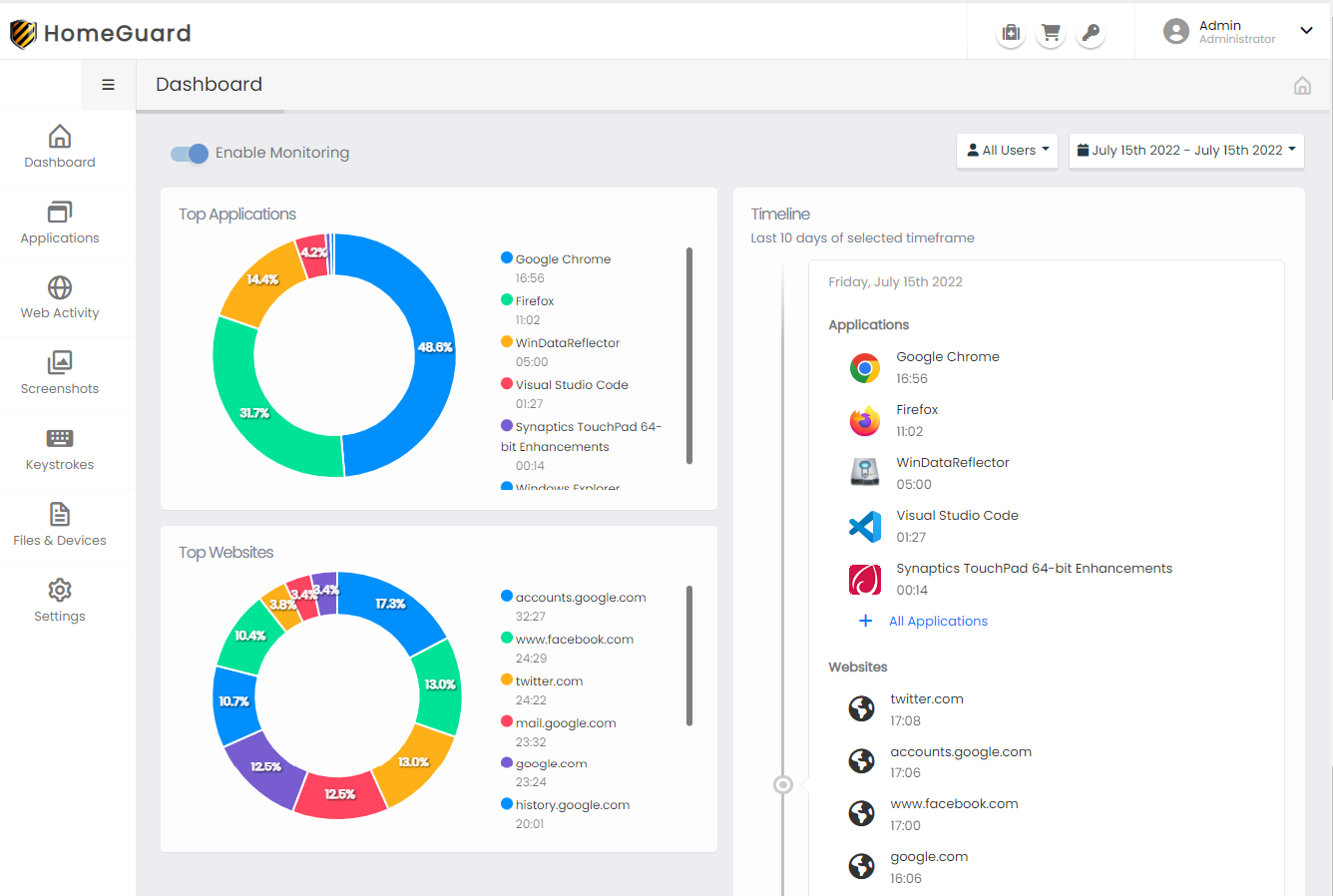
HomeGuard provides comprehensive oversight of web activity, automatically filtering out mature or inappropriate content across web pages, social media platforms, and search engine results. Our intelligent content filtering is page-specific; it seamlessly blocks unsuitable text and images on otherwise safe websites, such as news outlets or blogs, ensuring the rest of the site remains accessible. This robust filtering system supports multiple languages, adapting to your family's needs beyond default English settings.
Furthermore, HomeGuard monitors search engine queries and actively enforces Safe Search modes on popular platforms like YouTube and major search engines, providing an essential extra layer of protection for younger users.
Context-Aware and Scheduled Screen Capture
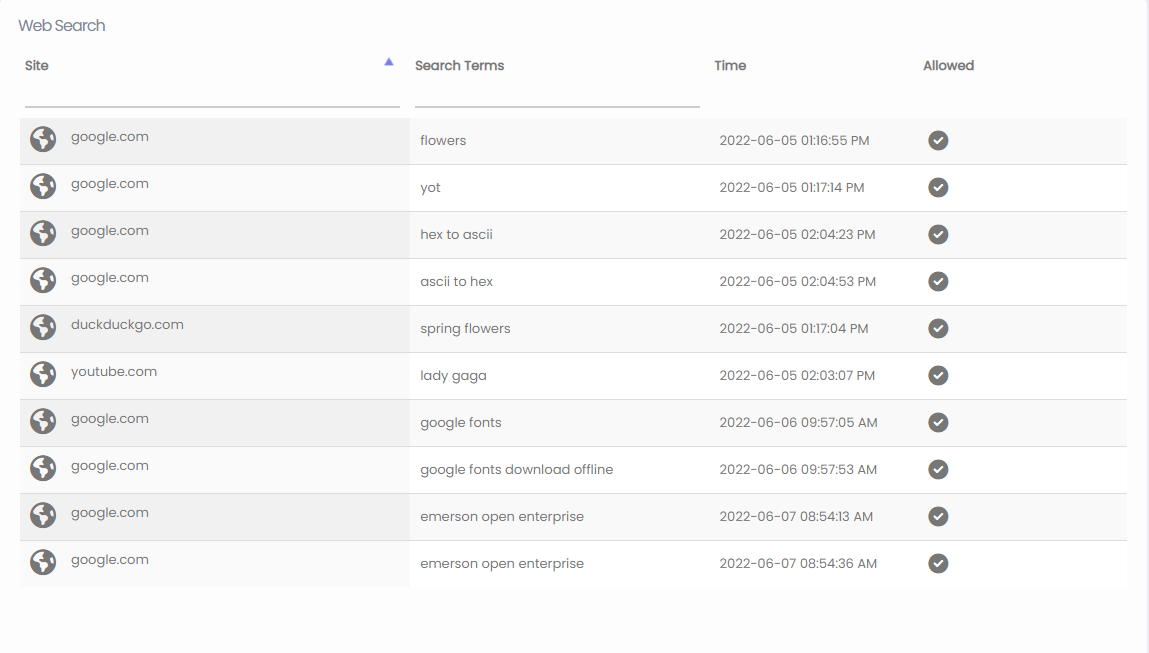
Gain visual insights into device usage with context-aware screenshots triggered by specific activities, such as opening certain applications, visiting new websites, or printing documents.
Alternatively, you can configure HomeGuard to capture the screen at regular intervals based on a customizable schedule, providing a reliable overview of ongoing device activity.
Application and Time Management
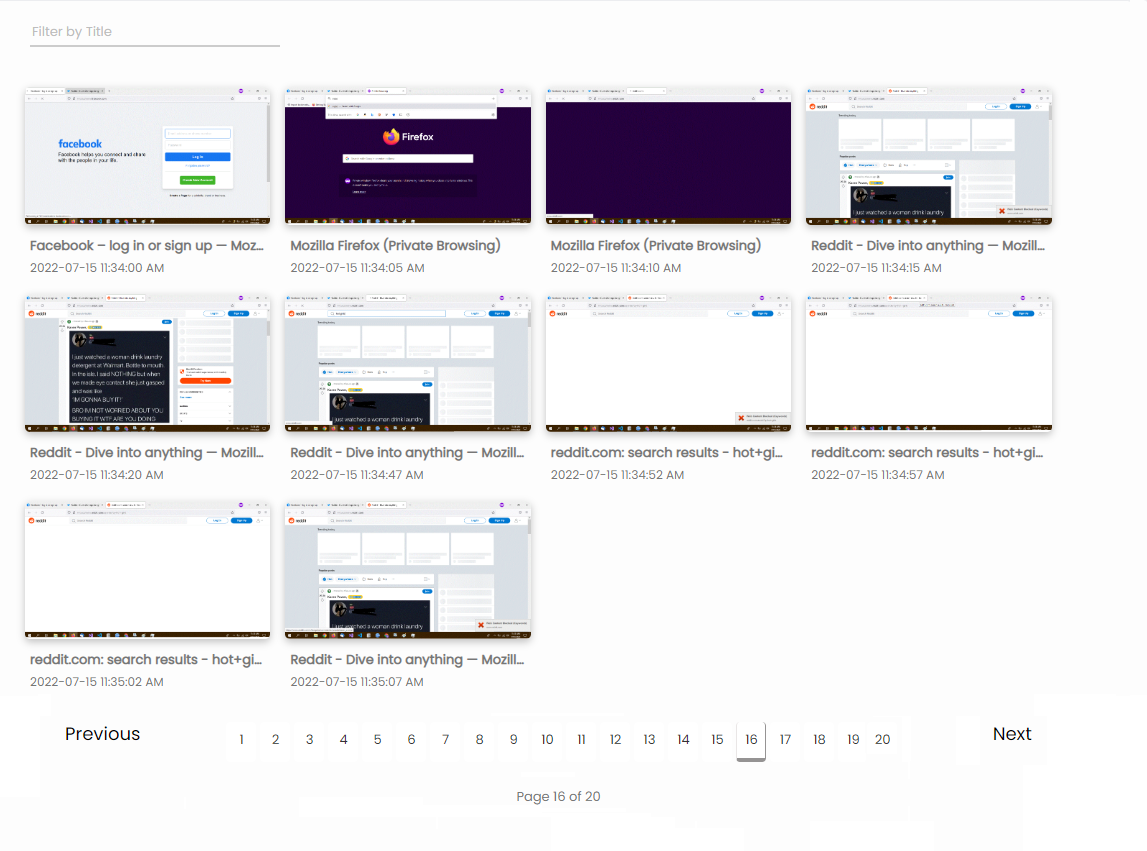
Promote healthy digital habits with our sophisticated time management tools. Easily set limits on specific applications or games, restricting usage to designated times of the day, specific days of the week, or defining total allowed daily hours.
HomeGuard's intelligent application manager is designed to resist circumvention attempts. It can detect when a program is renamed, updated, or even if a user tries to run a restricted application from a portable USB drive.
Effortlessly Review Activity with the Visual Timeline
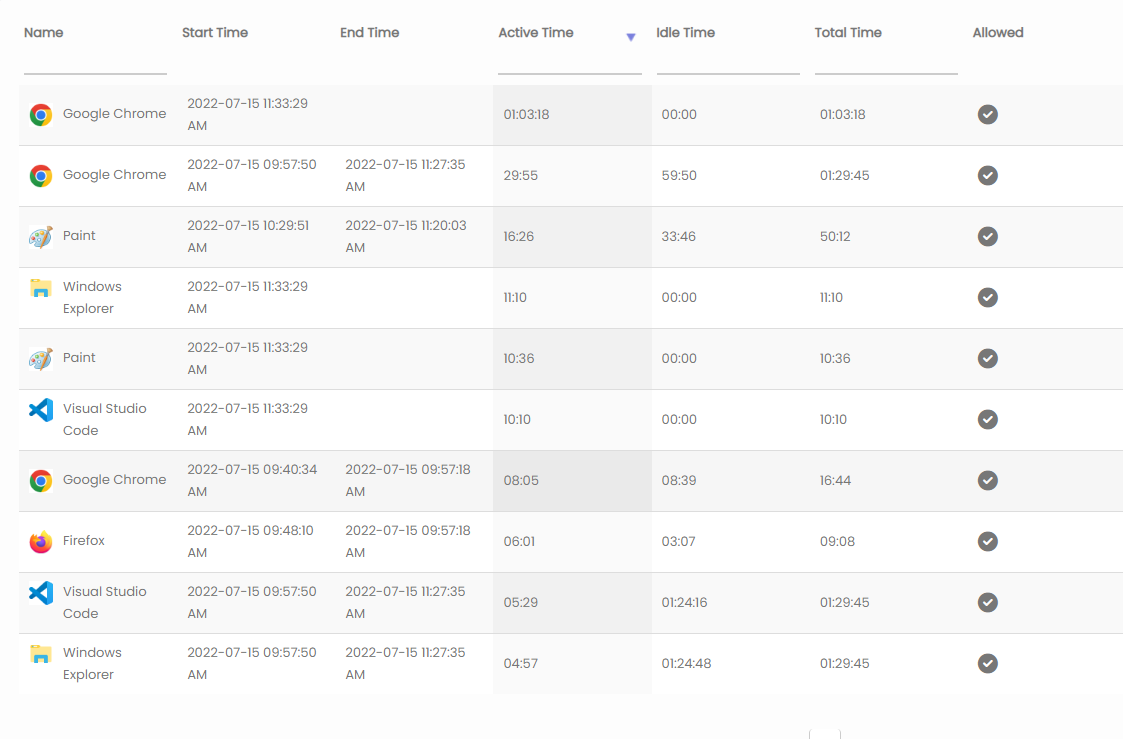
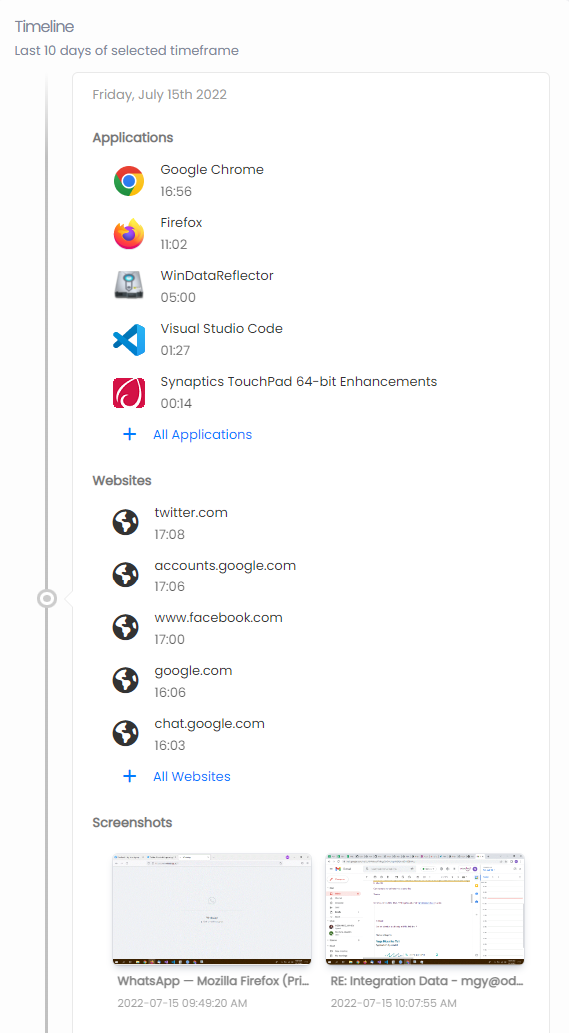
HomeGuard synthesizes monitored activity into a streamlined, easy-to-read daily timeline. Quickly grasp the day's events, and expand any entry for a detailed, comprehensive record.
Application Usage Summary
The timeline immediately highlights the most frequently used applications throughout the day.
Web Browsing History
Quickly identify top visited websites within the daily timeline, or utilize the dashboard charts for a long-term view of browsing habits.
Visual Context with Screenshots
Captured screenshots are integrated directly into the timeline, providing instant visual context to the logged activity data.
Advanced Management Features
HomeGuard is designed for ease of use. Once installed, its core protection features require minimal configuration and operate silently in the background. It consistently monitors activity, enforces your defined rules regarding access and content, and can optionally alert you via email if restricted actions are attempted.
Website Access Control
Manage access to specific websites by name or URL, establish restricted timeframes, or utilize a 'whitelist' approach to allow only approved sites.
READ MORE +Smart Content Filter
Automatically filter out mature or unsuitable content across websites and search engines. Actively enforces Safe Search protocols on Google, Bing, and YouTube.
READ MORE +Internet Scheduling
Define clear boundaries by restricting overall internet access to specific days and times.
READ MORE +Computer Usage Times
Establish healthy digital habits by setting daily or weekly limits on total computer usage time for each user.
READ MORE +Application Control
Establish healthy limits by setting time allowances for specific applications, groups of apps (like games), or capping total daily usage per application.
READ MORE +Device Security
Safeguard your system by managing or restricting access to USB drives, preventing unauthorized file transfers or application installations.
READ MORE +File & Print Management
Protect critical files from unauthorized deletion or movement, and monitor or restrict the printing of documents.
READ MORE + Detailed logs indicating the time and duration of website visits.
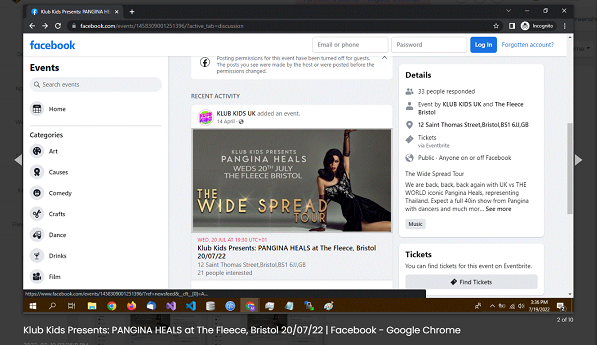 Visual records of accessed web pages.
Comprehensive Internet Activity Insights
Manage Social Media Engagement, Monitor Search Trends, and Filter Content TypesTake control of web access using customizable blacklists to block specific sites while allowing general browsing, or utilize strict whitelists to ensure only approved websites are accessible.
Effectively manage digital environments by filtering out inappropriate content across websites, messaging platforms, and emails. You can filter by domain name or specify content types—for example, restricting all online video streaming or executable file downloads. Restricting video can be particularly useful for managing content on platforms like YouTube or Vimeo, and is also beneficial for optimizing network bandwidth in educational or work settings.
HomeGuard includes network monitoring capabilities, allowing you to track which applications are accessing the internet and review the volume of network traffic associated with each program.
Recognized by Leading Software Reviewers

Manage Screen Time, Control Application Access
Establish Healthy Boundaries for App and Web Usage
Operating securely at the system level, HomeGuard is protected against unauthorized disabling or bypassing. Its intuitive visual reporting simplifies the process of tracking productivity and proactively managing digital behavior.